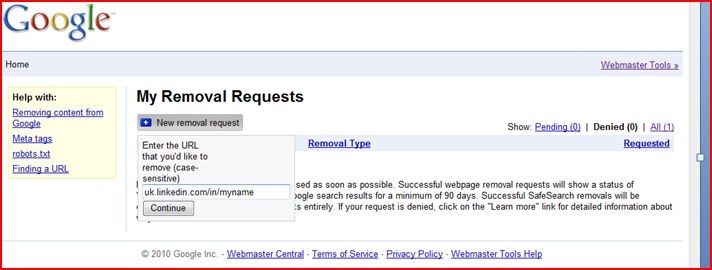
I previously posted about the Google Cache Removal Tool. I thought I would give the Bing cache removal a go too.
Bing hasn't been as easy to find the answers to achieve it. This post in the Bing Community was probably the best I found. I also found an email based request for support form . You don't need a Windows Live account to fill this in. I chose the option "How do I remove a site from Bing" which gives a second option of "cached page removal". I put the URL of the cached page in the 'Be Specific' box and added that I was requesting removal of a cached page that returned a 404 error when the link was followed but the cached precis still held personal information.
I received an automatic email back asking me to email them the URL of the page I wanted removing. I had given this to them already in the original request but I dutifully replied with the URL again. I received another email which this time said:
"Thank you for writing to Bing Technical support. I understand you need to have the cache page removed due to personal information in its content. I appreciate that you have taken the time to write to us regarding this.
Broken and dead links are removed from Bing index by an automated process. The MSNBot/Bingbot evaluates each website that it crawls for new content and schedules the next crawl accordingly. If the MSNBot/Bingbot tries to crawl a site or page that no longer exists, the MSNBot/Bingbot marks the site/page as dead and removes the site/page from the Bing index.
The Bing crawler service will crawl the website on a variable basis. Every 15-30 days is the expected average for how often a page is crawled.
Pages can stay listed in our databases for some time after the site content or control documents are changed. Such changes will not take effect in the search database until our information about the site is updated by our crawler. However, please be assured that we will pick up your changes during our next refresh cycle.
After the published content is removed or corrected, it will be corrected in the search database by our normal content refresh processes. The Bing crawler service will crawl the website on a variable basis. Every 15-30 days is the expected average for how often a page is crawled.
Pages can stay listed in our databases for some time after the site content or control documents are changed. Such changes will not take effect in the search database until our information about the site is updated by our crawler. However, please be assured that we will pick up your changes during our next refresh cycle.
We appreciate your continued support as we strive to provide you with the highest quality service available. Thank you for using Bing."
So now I have to sit and wait and hope that in 15-30 days the links disappear. I score 0/10 to Bing on this one.
If anyone else has any additional information to add to this please leave a comment and I will expand this post.
Read more...